
Will a printer fit under a shelf if the scanner cover hits the shelf every time you lift it? The measurement on the box tells you how tall the machine is when it is shut. What you need for scanning is the space the moving cover, the original and your hands occupy together.
Measure from the surface supporting the printer to the highest point the scanner cover reaches in normal use. Compare that with the lowest obstruction above the same surface, then try loading and retrieving a real page. A positive difference between the two measurements is worth having, but only that last test tells you whether you can actually use the glass.
In my guide to planning a home office printer station, I suggest measuring the parts that open as well as the box that stands on the furniture. Here I’m concentrating on one easily missed job: putting an original squarely on the glass and getting it back without moving the printer. A sheet of plain paper, a tape measure and a piece of stiff card are enough to investigate an existing setup.
- Establish which cover you need to open
- Measure the opening where the cover will travel
- Work through a shelf measurement
- Try the scan from your everyday working position
- Test a shelf before buying the printer
- Decide what to change when the fit is close
- Final Word on Scanner Lid Clearance
- Related Questions You May Be Asking About Scanner Lid Clearance
- References
Establish which cover you need to open
Start with the job you do most often. If you copy individual letters on the glass, lift the document cover as you normally would. If the printer also has an automatic document feeder, identify the whole assembly that lifts away from the glass. Opening the feeder’s small paper support measures a different movement.
Look at the instructions for your exact model before trying an unfamiliar hinge. Some machines have a separate opening for access to ink or the paper path beneath the scanner assembly. Being able to lift the document cover says nothing about whether the second opening will work in the same space. Give each action its own line on your notes rather than calling both measurements “lid height”.
Choose a representative original
For ordinary correspondence, use a spare sheet the size of a typical letter. For a home business that keeps a bound appointments diary, use an old notebook of similar thickness. If you work with photographs, cut a piece of plain card to the size of a print so you can practise retrieving a small original without handling a photograph repeatedly.
The original matters because it changes the path your hand takes. Feeding a letter into the opening from the front is quite different from turning an open notebook over, lowering it onto the correct corner and keeping your place. Test the task the furniture has to support, including any movement that takes place in front of the shelf.
Measure the opening where the cover will travel
Clear the shelf and look along its underside from the side. The obstruction might be a front rail, a light fitting, the lip of a box on the shelf above or the underside of a sloping cupboard. Measure down to the supporting surface at the front, near the hinge and anywhere else the open cover will pass.
Write down the location alongside each dimension. An opening that is tall at the back may have a low lip just where your knuckles pass. A fitting fixed tight to the back wall may be irrelevant if the hinge is well forward of it. Keep the measurements on a simple side-view sketch so you can match the object above to the part moving below.
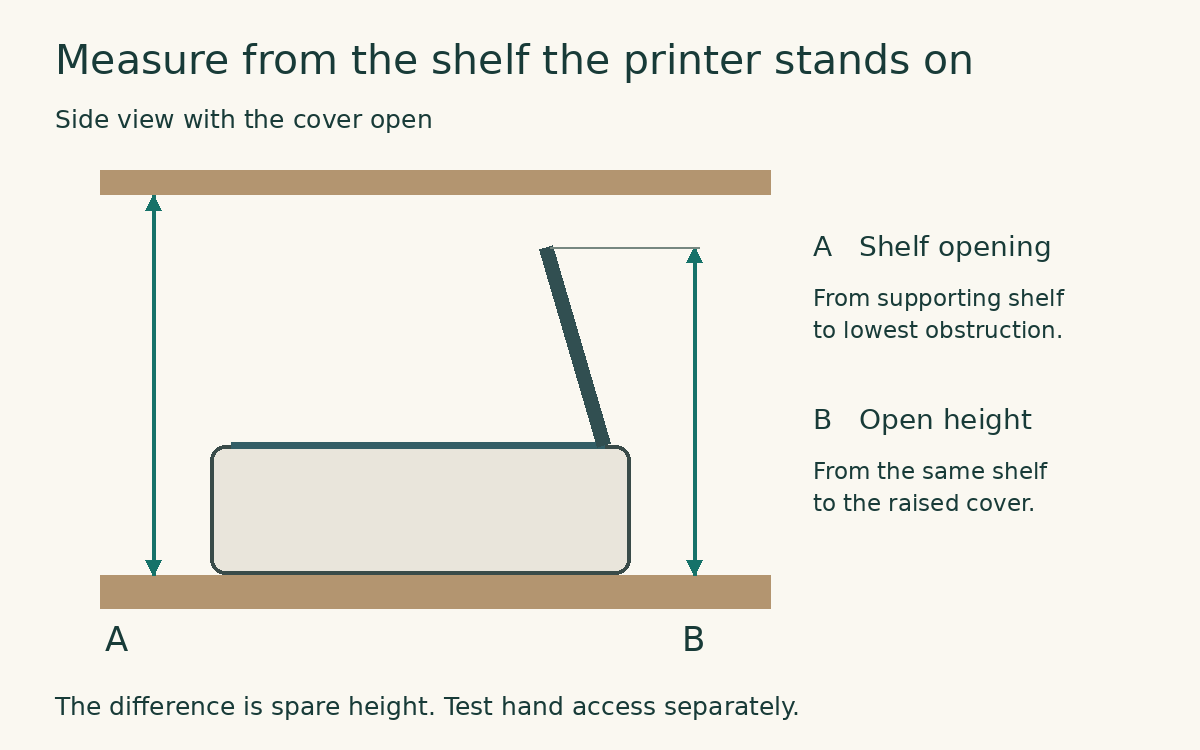
Measure the open machine from the same starting point
If you already own the printer, use an unobstructed position on a stable supporting surface. Open the cover normally and note which point rises highest as it travels. A cover that tilts backwards can reach its greatest height before its final resting position. Watch the movement from the side without putting your fingers into the hinge.
Stand a ruler or a straight piece of card vertically beside the machine. Mark the high point on the card and measure up from the supporting surface, leaving the machine itself out of the measuring process. There is no need to rest a metal tape on the glass, balance a ruler on the cover or push the hinge a little further to get a round number.
Work through a shelf measurement
Imagine a shelf with 450 mm between its surface and the underside of the shelf above. The printer is 190 mm tall when shut and reaches 420 mm during the normal opening movement. Comparing 450 with 190 suggests ample space. Comparing 450 with 420 leaves 30 mm above the cover at the highest point.
Now suppose a rail projects 40 mm below the upper shelf. If it crosses the high point of the cover’s path, the opening there is only 410 mm. The cover needs 420 mm at that position, so the proposed arrangement is short by 10 mm even before you consider your hand. If the rail is forward of the whole path, the same dimensions lead to a different answer.
Use the figures as an example of the subtraction, not as a clearance allowance for a particular model. Mark where the hinge sits in your own drawing and repeat the calculation for your own obstruction. Keep millimetres throughout the calculation if you start in millimetres. That makes a small shortfall much easier to spot.
Try the scan from your everyday working position
Sit or stand where you would usually make the copy. Lift the cover, identify the alignment mark on the glass and lower your test sheet into place. Let go before you close the cover. If the sheet moves as you withdraw your fingers, find out whether your sleeve catches it, the shelf restricts your wrist or the alignment mark is simply out of sight.
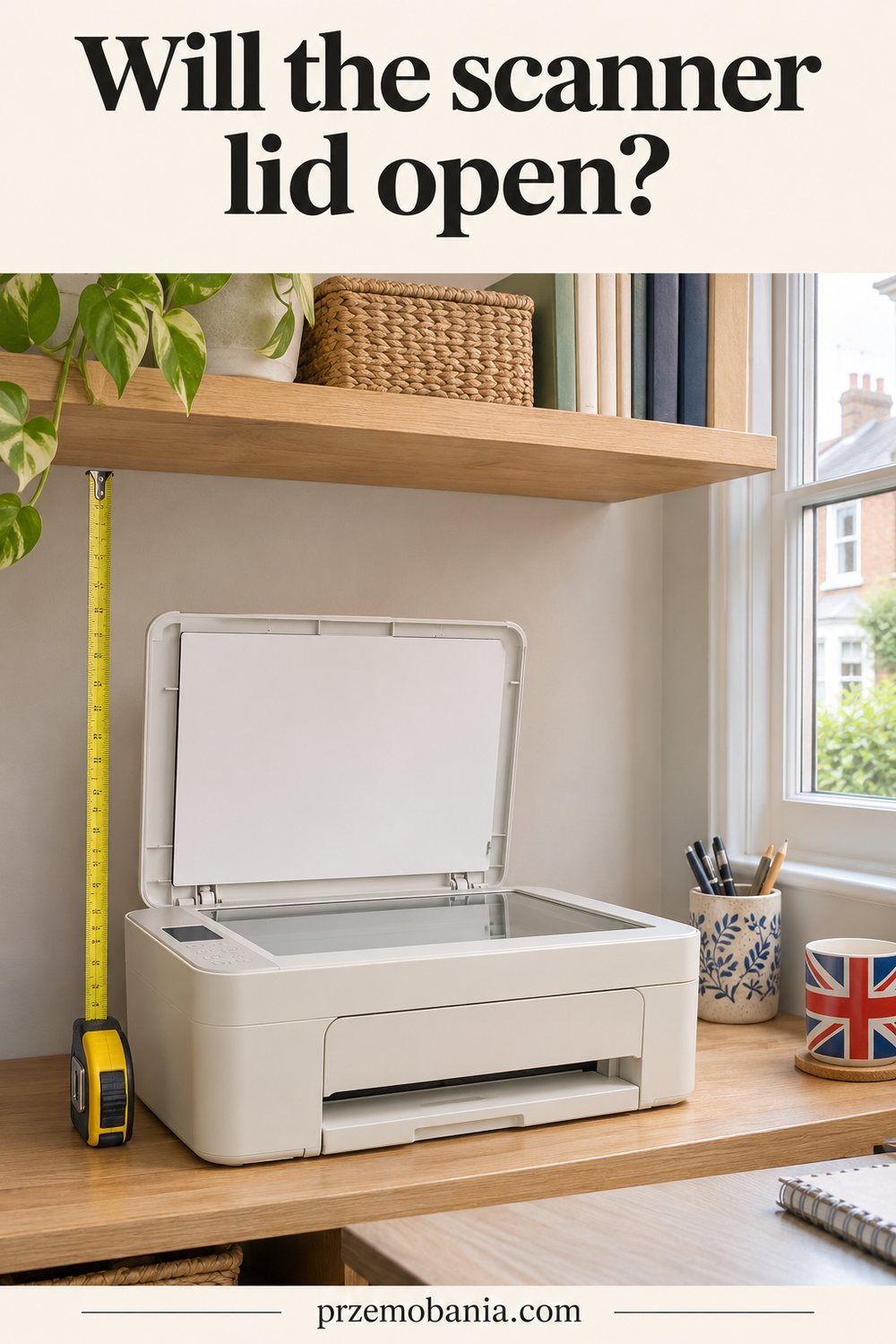
Make a test copy or scan using a page with a short line drawn near each edge. An uneven border can give you a reason to look again at how you place the sheet. Repeat the scan with the printer unobstructed if you need to distinguish a positioning problem from the machine’s normal unscanned margin. There is little value in altering a shelf to correct a margin the scanner produces in either position.
Test retrieval as carefully as loading
Put your small piece of card on the glass and try picking it up again from the corner you normally use. Notice whether you can see the edge, bring a fingertip alongside it and lift it without scraping it across the glass. A narrow letter-sized opening may allow loading while making it difficult to retrieve a small, smooth original.
Repeat with the notebook if bound material is part of your work. Check the manufacturer’s instructions for thick originals on your particular machine. The weight and construction of covers differ. If the book needs to be held open throughout, see whether your other hand can still reach the scan control from the intended position.
Test a shelf before buying the printer
Ask for the open dimensions of the exact model, together with a drawing or photograph that shows which parts are open. A single maximum height may describe a raised paper support while the scanner cover is shut. If the supplier can measure a display machine, specify the start and finish points: from the table it stands on to the highest part of the document cover while opening.
On the shelf, stand a piece of card cut to that measured height at the position of the hinge and move it towards the front. This is a quick way to identify a definite clash, but a rectangle cannot reproduce the path of a hinged cover. For a close fit, take your sketch and sample original to the display machine and trace the actual movement before committing to the furniture.
Decide what to change when the fit is close
If a removable shelf pin lets you raise the upper shelf, first put the things stored above it in their new positions. A change that solves scanning may leave a tall file wedged against the top of the unit. Try scanning a page with the shelf temporarily installed at its new height before returning every box to the cupboard.
If the machine fits but you cannot see the alignment corner, compare a lower open surface with the proposed bay. Take the same original and try the same job. Moving the printer lower can make the glass easier to see, while a surface without overhead storage avoids the cover restriction completely. Choose on the basis of a successful scan and an easy retrieval, rather than the largest empty space in the room.
Resist solving a shortfall by leaving part of the printer overhanging the front edge. Check the installation requirements in the manual, especially the supporting surface, ventilation and access around the machine. If a position works only when the printer is pulled forwards, include the weight, cables and stability in your decision before treating that as a daily routine.
Final Word on Scanner Lid Clearance
Leave a note inside the cupboard with three things on it: the opening at the lowest obstruction, the maximum height of the moving cover and the original you tested. A note saying “diary opens and comes out easily” tells the next person far more than a label saying “printer fits”. It is also a useful reminder to test again if the machine or shelf position changes.
If this is part of organising a shared room, my cosy home office book looks at how to make equipment fit into everyday life at home. For this particular decision, keep the real document handy until you have seen it go in, scan squarely and come out again.

Find Out More About Me

Przemo Bania is a blogger and writer who helps people get out of their traditional jobs to start a blogging career. Przemo also runs a health blog advocating for endometriosis and fibromyalgia…
Related Questions You May Be Asking About Scanner Lid Clearance
Can I measure from the top of the closed printer?
You can if you add the closed height back in before comparing the result with the total shelf opening. Measuring both heights from the shelf is simpler. It also avoids accidentally starting at a raised control panel that sits higher than the edge of the scanner cover.
Does a feeder mean I can ignore the cover?
Check what you scan over a normal week. A feeder may handle loose sheets, while a bound item or an original unsuitable for the feeder still needs the glass. Make that distinction before giving up access to the cover for the sake of fitting the printer into a shallow bay.
What if the listing shows different dimensions for the same printer?
Check the full model name, suffix and region, then look for a drawing in the matching manual. Ask whether measurements describe the packed machine, the closed machine or a particular operating position. If the open-cover figure is unavailable, keep it marked unknown on your shortlist and measure the display model or choose a position with unobstructed access.
References
- Brother DCP-J1360DW family guide to loading loose and thick originals on the scanner glass
- Brother DCP-J572DW illustrated instructions for positioning an original and closing the document cover
