

Before Your First Work-From-Home Day Checklist
Could your desk look completely ready while the first task of the morning still cannot begin? Your first work-from-home day checklist needs to cover access, communication, and a usable workspace as well as equipment. If you are nervous about forgetting something obvious, a short rehearsal can replace some of that uncertainty with useful answers.
Before your first work-from-home day, confirm the start time, equipment, work account access, internet connection and contact for support. Test the applications and call tools you need, prepare a suitable workspace, and agree what to do if a delivery, login or connection problem remains unresolved.
After chronic illness changed my wife’s working life, I helped make home working more practical, bringing together my mum’s influence on my love of interiors and my own blogging experience; the sources below support the advice here.
You do not have to predict every question that will arise during the first week. You do need to know where to start and whom to contact when something is missing. A successful sign-in is more reassuring than assuming an unopened invitation will work in the morning. If the room itself is still taking shape, use the beginner’s home office setup checklist alongside these readiness checks.
Build Your First Work-From-Home Day Checklist around Readiness
I would begin with a simple question: what must happen during the first hour? The answer may include joining an induction call, opening a particular application or receiving instructions from someone else. Write down that sequence before making a general equipment list.
Confirm the start time and the time zone shown on any invitation. Check whether your contact details and delivery address are correct. Ask which device and account you are expected to use.
If equipment is supplied, compare the contents of the delivery with the expected list. A missing charger or adapter can matter more than a missing optional accessory. Keep packaging and delivery details until you know everything has arrived and works.
Test access while support is available rather than leaving it until late at night. Follow the organisation’s instructions for account activation and security. Avoid using a personal account as a substitute unless that has been explicitly approved.
Keep one reliable support route outside the account you are testing. Write down any unresolved issue and the agreed next step. Then prepare the immediate workspace so the morning starts with work rather than unpacking.
My wife’s experience taught me how valuable it is when the surrounding tasks ask less of you. In my own blogging, I find the same relief in knowing what I will open first instead of beginning with a search for something missing.
- Confirm Your First Hour and Contacts
- Check the Equipment You Will Use
- Sign In through the Approved Route
- Rehearse the Calls and Core Tasks
- Prepare Your Space and Backup Plan
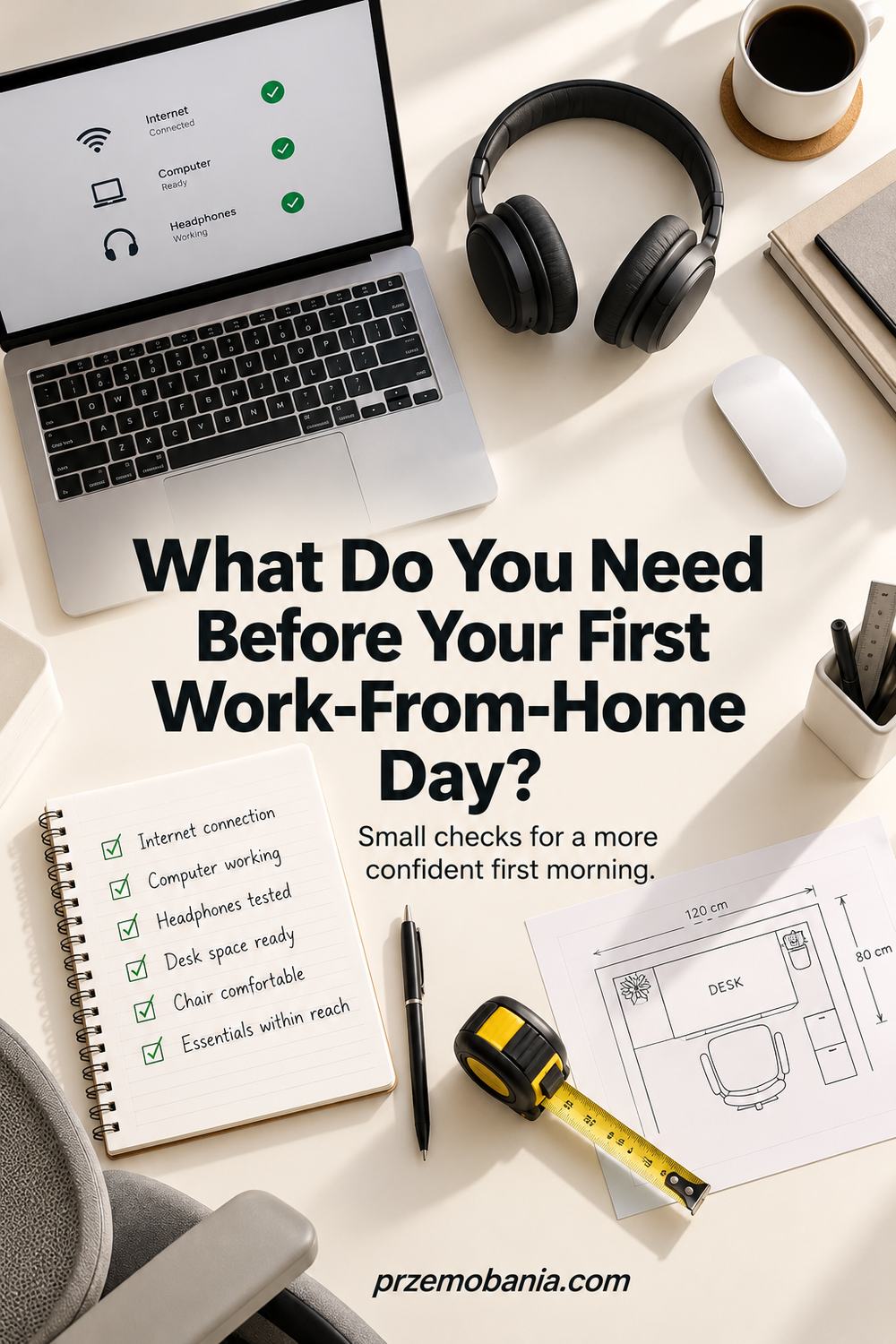
Confirm Your First Hour and Contacts
Write down the agreed start time, first meeting and person who will help you begin. Open the invitation and check the time zone rather than relying on a remembered conversation. If instructions have not arrived, ask for them while there is still time for a reply before the first working morning.
Keep the contact route somewhere you can reach without your new work account. That could be an approved telephone number or another contact method your organisation has provided. It is useful precisely because a sign-in problem can otherwise remove your route to asking for help.
Check what preparation is expected and what will be explained during induction. You do not need to complete training before you have been given access to it. The ready check here is knowing where to begin, what information to have available and how to report a problem, rather than having every future task already understood.
Check the Equipment You Will Use
Lay out the required device, charger and task-specific accessories, then compare them with the supplied instructions. Look for anything missing, damaged or incompatible before arranging it neatly. A screen, cable and computer can all be present without the cable connecting the ports you actually have.
Confirm that the equipment powers on and is intended for your use. Follow your organisation’s setup instructions and leave managed settings to the appropriate support team. If something is missing from a delivery, report the precise item rather than replacing it independently and hoping reimbursement will follow.
Your ready check is that the necessary equipment is present, suitable and functioning for the first planned tasks. Optional accessories can stay on a later list. If the physical arrangement is still incomplete, resolve that separately instead of assuming that successful device activation means the whole workstation is ready for regular use.
Sign In through the Approved Route
Use the account invitation or instructions supplied through a trusted channel and complete the required activation steps. Check that you can reach the services needed for the first day, not just the desktop of the device. Some applications need separate permissions even after the main account opens successfully.
Set up any required additional authentication using the organisation’s guidance. Keep recovery arrangements private and follow the relevant policy rather than writing passwords in a general preparation notebook. If an unexpected message asks for credentials, verify it through a known contact before acting.
Record access problems without copying sensitive information into screenshots or personal notes. Describe which service failed and the error shown, removing private details when seeking help. The ready check is authorised access to the necessary work tools, with support aware of anything outstanding, rather than an improvised route that bypasses the intended controls.
Rehearse the Calls and Core Tasks
Open the meeting application you are expected to use and check its microphone, speaker and camera options if those features are needed. Select the actual headset or microphone rather than assuming the application has chosen it. Where possible, use the service’s test facility or an agreed short check with another person.
Try a simple work action too, such as opening an approved sample document and locating the folder you will use. A connection that loads a website has not yet proved that every work service is available. Keep the rehearsal focused on the first day’s requirements so it stays manageable.
For calls, inspect what the camera can see and what others might hear in the room. Follow the organisation’s meeting and privacy instructions, informed by NCSC guidance where relevant. Mark the test complete when the required functions work, and record any remaining limitation so the first conversation begins with a clear explanation.
Prepare Your Space and Backup Plan
Clear enough surface for the work, position the equipment appropriately and put the necessary notebook or paperwork within easy reach. Check the lighting at the time you expect to start. Let others in the household know when calls or quiet tasks are planned, without assuming the entire home can become silent.
Agree what to do if the connection fails or an essential delivery does not arrive. A backup plan should follow your organisation’s requirements and might simply mean contacting the right person promptly. Do not assume that a public connection or personal device is an acceptable substitute for approved work arrangements.
Leave the morning’s first action easy to find and keep open issues visible. I would rather see one clear note about a missing permission than discover it while a meeting is starting. Your ready check is a practical starting position and an agreed response to foreseeable problems, not a promise that nothing unexpected will happen.

Use Your First Work-From-Home Day Checklist to Catch Hidden Gaps
The easiest gaps to miss sit between two apparently completed tasks. You may have received the computer without receiving the account invitation. You may have installed the meeting application without granting the microphone permission it needs.
Work through the first-hour sequence as a continuous rehearsal. Start from the device being off or locked. Sign in using the route you will use in the morning.
Open the invitation or instructions you need. Check the relevant application and locate any permitted preparation material. Write down the point where you must stop because something is missing.
Give each issue a responsible contact and a clear description. Include the device or service involved without sharing passwords or confidential content. Ask what you should do if the issue remains unresolved at the start time.
A useful response may be an alternative induction arrangement rather than a technical fix you can perform yourself. Confirm that arrangement so you are not guessing overnight. Keep any revised instructions beside the original start details.
The aim is to make the first morning predictable enough to begin. It is not to prove you can solve every unfamiliar system without help.
| Readiness Check | Evidence That It Works | If It Does Not |
|---|---|---|
| Start instructions | You know the time and first action | Contact the organiser |
| Device | Required equipment powers on correctly | Report the missing or faulty item |
| Account | You can enter the required service | Use the approved support route |
| Calls | Required audio and video functions work | Describe the failed function |
| Work materials | You can open the permitted starting material | Request the necessary access |
| Contingency | You know how to report disruption | Agree a contact method |
Make the Evening before Work Simpler
Once the essential checks are complete, stop adding new tasks without a reason. A major rearrangement late in the evening can create fresh uncertainty. Leave proven equipment in the arrangement you tested.
Put the first meeting details and support contact somewhere accessible. Prepare ordinary things such as water, glasses and a notebook if you use them. Decide where personal items can wait without covering the working surface.
If an issue remains, send a clear update through the agreed route rather than quietly hoping it disappears. Keep your explanation factual and brief. State what you tested, what happened and what guidance you need.
You are preparing to start learning the work, not sitting an exam in perfect home-office ownership. A calm, honest account of what is ready is more useful than pretending the unresolved parts are finished.
Final Word on Your First Work-From-Home Day Checklist
The best preparation gives you a reliable first step. You know when to begin, where to go and how to contact someone if the expected route does not work. Equipment matters, but so does the information that makes the equipment useful. A computer on a desk is only one part of being ready for the working day.
I would keep the preparation focused on what you can verify. You can check an invitation, test audio and confirm that an account opens. You cannot know every question that a new role or new routine will raise. Trying to remove all uncertainty usually creates a much longer evening without making the first morning proportionately easier.
There is also no need to treat asking for help as a poor first impression. Clear questions make it easier for the person supporting you to respond. Naming the application, the failed step and the timing is useful. Saying everything is fine while you cannot access the first meeting simply postpones the problem until more people are waiting.
My wife’s working life has made me attentive to the effort hidden around the job itself. Finding a missing item, solving an avoidable access problem or moving equipment at the last minute can use energy before the actual work begins. I cannot remove every difficulty from a day, but I value preparations that prevent unnecessary demands from being added to it.
You can apply the same care to your own start. Leave the immediate area usable, protect the information you handle and keep the next action obvious. If you share the room, agree the practical arrangements without expecting everyone else to guess your schedule. Small, specific agreements are easier to keep than a vague request for the house to be quiet.
After the first day, note what you learned without judging the whole setup from one unusual morning. Some needs will only become clear through ordinary work. You can adjust those later, using what actually happened as your guide. For now, the goal is a prepared beginning, with the necessary tools working and the unresolved questions in the right hands.
That is enough to make the first step more manageable. You do not need a showroom office or a flawless performance. You need a suitable place to work, an authorised way into the work and a sensible route to support when something does not go to plan.
A confident first morning starts with a few things you have actually tested: your equipment, your access, your first appointment and your route to help. Keep the workspace usable, record anything unresolved and let the rest develop through experience. Preparation should make starting easier, not leave you exhausted before the day begins.
Tell me what you wish you had checked before your first day, and explore the FREE chapter of my eBook for more thoughtful home-office ideas.


Przemo Bania is a blogger and writer who helps people get out of their traditional jobs to start a blogging career. Przemo also runs a health blog advocating for endometriosis and fibromyalgia…
Related Questions You May Be Asking About Your First Work-From-Home Day Checklist
1. Do I Need a Webcam for the First Day?
Only if the planned work or your organisation requires one. Check the instructions before buying anything, because your supplied device may already include a suitable camera. If video is expected, test it in the actual application and inspect the background. Tell the organiser in advance if the required equipment is missing or faulty.
2. What if My Equipment Arrives Late?
Contact the person responsible for the delivery and the person coordinating your start. Explain what is missing and ask for the approved alternative arrangement. Do not assume you should use a personal device or purchase replacements. The appropriate response depends on the work, security requirements and what your organisation can provide.
3. Should I Install My Own Preferred Work Apps?
Follow the organisation’s instructions, especially on a managed device. An application you use personally may not be approved for work information or compatible with the required systems. Ask before adding tools, transferring documents or linking personal accounts. A familiar shortcut is only helpful when it fits the permitted way of working.
First Work-From-Home Day Checklist References
- EURES: Five Tips for Starting a New Job Remotely
- NCSC: Secure Online Meetings
- HSE: Managing Your Health and Safety When Working at Home
