
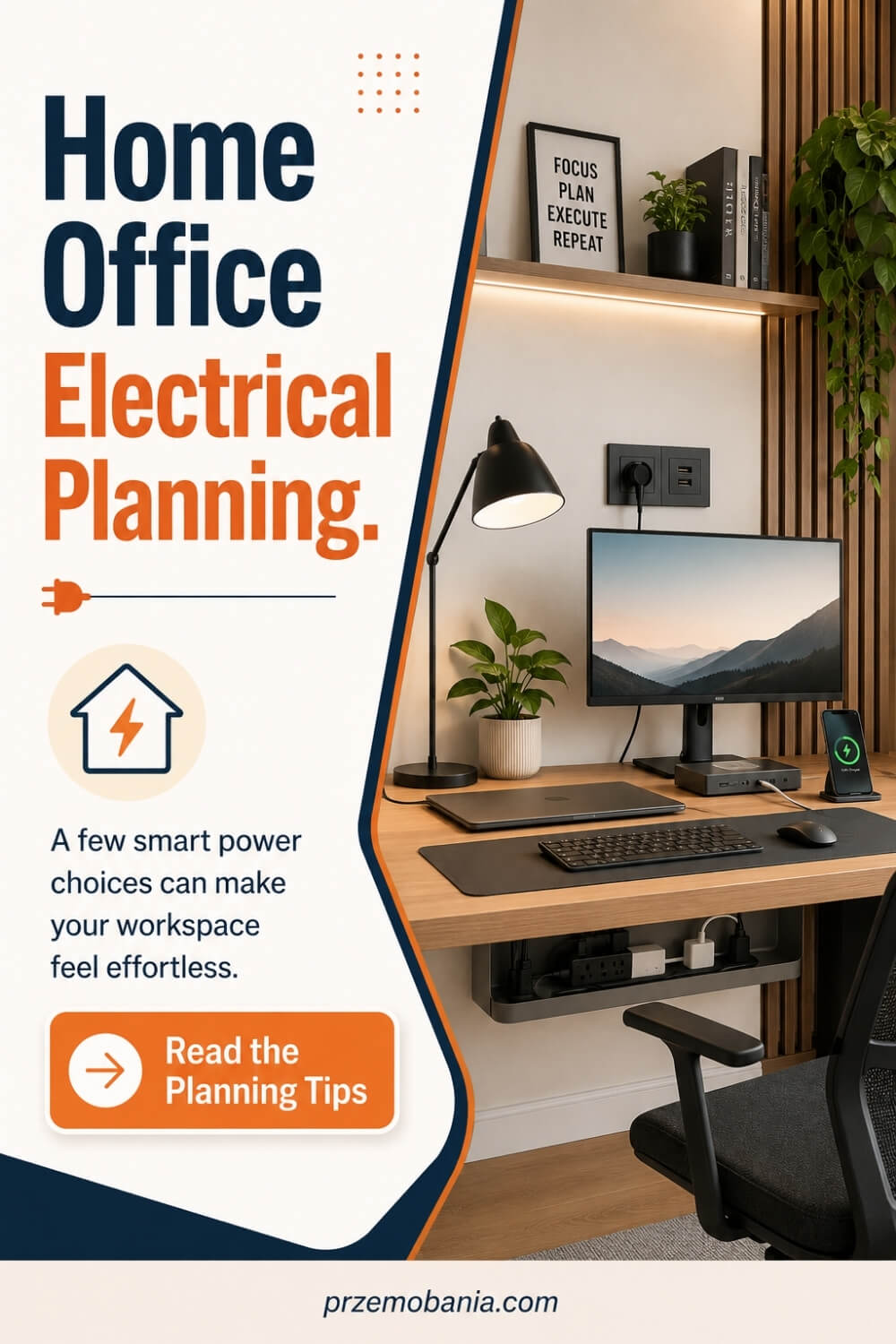
Home Office Electrical Planning
Have you ever wondered why a beautiful home office can still feel awkward, cluttered, and strangely tiring when the desk is surrounded by adapters, cables, and sockets that are never quite where you need them? Home office electrical planning is the quiet foundation that decides whether your workspace feels easy to use or constantly improvised.
If you have ever crawled beneath a desk to swap a charger, filled the last socket sooner than expected, or caught a chair wheel on a cable, I know how quickly those tiny annoyances become part of every working day.
Plan every device, socket, lighting point, data connection and cable route before furniture is fixed. A safe home office needs convenient power, sensible circuit capacity, no overloaded extensions or trailing leads, room for future equipment, and a competent electrician for changes to fixed wiring.
I’m a passionate blogger whose life changed when my wife became chronically ill, and the love of interiors my mum planted in me as a child became something practical: I helped my wife shape a home workspace carefully around her needs, built my own cosy office where I write and make money from blogging, and, beyond what we have learned through personal experience and my love of home décor, I have included the sources I used at the bottom of this article so you can see where I keep expanding my knowledge.
What surprised me most as I researched this properly is how far the electrical side of a home office now reaches beyond simple plug sockets. The current UK wiring standard is BS 7671:2018+A4:2026, published in April 2026, and it now includes new material on ICT systems and Power over Ethernet, showing just how closely power, data and modern workspace technology are starting to overlap.
Yet the old problems remain: in England, Part P still requires domestic electrical installations to be designed and installed with safety in mind, while HSE and Electrical Safety First continue to warn about overloaded extensions, daisy-chaining and trailing leads. The exciting part is that most of the frustration can be designed out before the room is finished, and once you see power as part of layout rather than an afterthought, you start making very different choices about the desk, lighting, charging, router, printer and every device you may add later.
If you are still deciding where the desk, lighting, storage and technology should sit, my guide to building the whole workspace properly will help you make those choices in the right order before the wiring starts dictating the room.
- Why Home Office Electrical Planning Comes Before Décor
- Map Every Device Before Wiring
- Position Sockets Around Your Desk
- Allow Power for Future Equipment
- Separate Power From Data Cables
- Plan Lighting Circuits Before Decorating
- Keep Cables Off Walking Routes
- Reduce Dependence on Extension Leads
- Protect Equipment and People Properly
- Bring In a Qualified Electrician
- How Home Office Electrical Planning Supports Comfort and Accessibility
- How Home Office Electrical Planning Handles Power Demand and Future Growth
- How Home Office Electrical Planning Shapes Your Daily Working Routine
- How Home Office Electrical Planning Works With Interior Design
- Final Word on Home Office Electrical Planning
Why Home Office Electrical Planning Comes Before Décor
For me, home office electrical planning begins before I choose the desk, paint colour or shelving because electricity has to support the way you will actually work in the room. I start with a plain list of everything that needs power, including the computer, monitors, printer, router, speakers, desk lamp, chargers, docking station and anything I may reasonably add later. That sounds almost too simple, but it immediately exposes how quickly two conveniently placed sockets can become completely inadequate.
A laptop alone may not need much, yet a proper workstation can gradually collect screens, USB hubs, lighting, mobile devices, backup drives and other equipment without you noticing how dependent you have become on one corner of the room. Once furniture is positioned, moving a socket or changing fixed wiring becomes far more disruptive than drawing another mark on a plan before decorating begins. This is why I never plan sockets simply by counting them because I want to know which equipment each outlet is expected to serve and whether I can reach it without bending behind furniture.
I mark where the desk will sit, where my feet and chair will move, which side of the desk the computer will occupy and where cables can disappear without being stretched across the room. Then I ask what happens if I rotate the desk, add another monitor or replace a small printer with a larger one because a workspace that cannot adapt often creates unnecessary expense later. If fixed wiring needs alteration, I regard that as work to discuss with a competent electrician rather than something to improvise, and in England electrical work in dwellings is covered by Part P of the Building Regulations.
Electrical Safety First also advises against overloading socket outlets or plugging one extension lead into another, and recommends considering additional wall sockets when you regularly depend on extensions and adaptors. That matters to me because an extension lead can be useful, but it should not become the permanent electrical design of an entire office simply because the original sockets ended up behind a cabinet. I would much rather solve that problem while the room is still being planned than spend years stepping over wires and wondering why the workspace never feels properly finished.
Cable routes deserve almost as much thought as socket positions because electricity has to travel from the wall to your equipment without turning the floor beneath the desk into a trap. A cable crossing a walkway, rubbing against furniture or constantly being pulled tight is not just ugly, it makes an otherwise calm room harder to use and can introduce avoidable trip or damage risks. I also leave some spare capacity for the office I might have two or three years from now because your working habits can change much faster than the walls around you.
The final thing I consider is convenience, because good electrical design should quietly remove effort from your day rather than make you think about electricity every time you sit down. When the power points, lighting, charging locations, internet equipment and cable paths have been considered together, the furniture can finally be placed around the way you work instead of forcing you to work around the furniture.
I learned how important those small details were when I watched my wife trying to keep working from home on days when simply getting comfortable already took more from her than most people could see. I could not remove what her body was putting her through, but I could make sure she did not have to crawl beneath a desk for a plug, stretch towards a charger or fight with cables just to get through her working day. That is why the next steps are not decorative extras to me, but practical choices that can make a home office feel safer, calmer and genuinely easier to live with.
- Map Every Device Before Wiring
- Position Sockets Around Your Desk
- Allow Power for Future Equipment
- Separate Power From Data Cables
- Plan Lighting Circuits Before Decorating
- Keep Cables Off Walking Routes
- Reduce Dependence on Extension Leads
- Protect Equipment and People Properly
- Bring In a Qualified Electrician
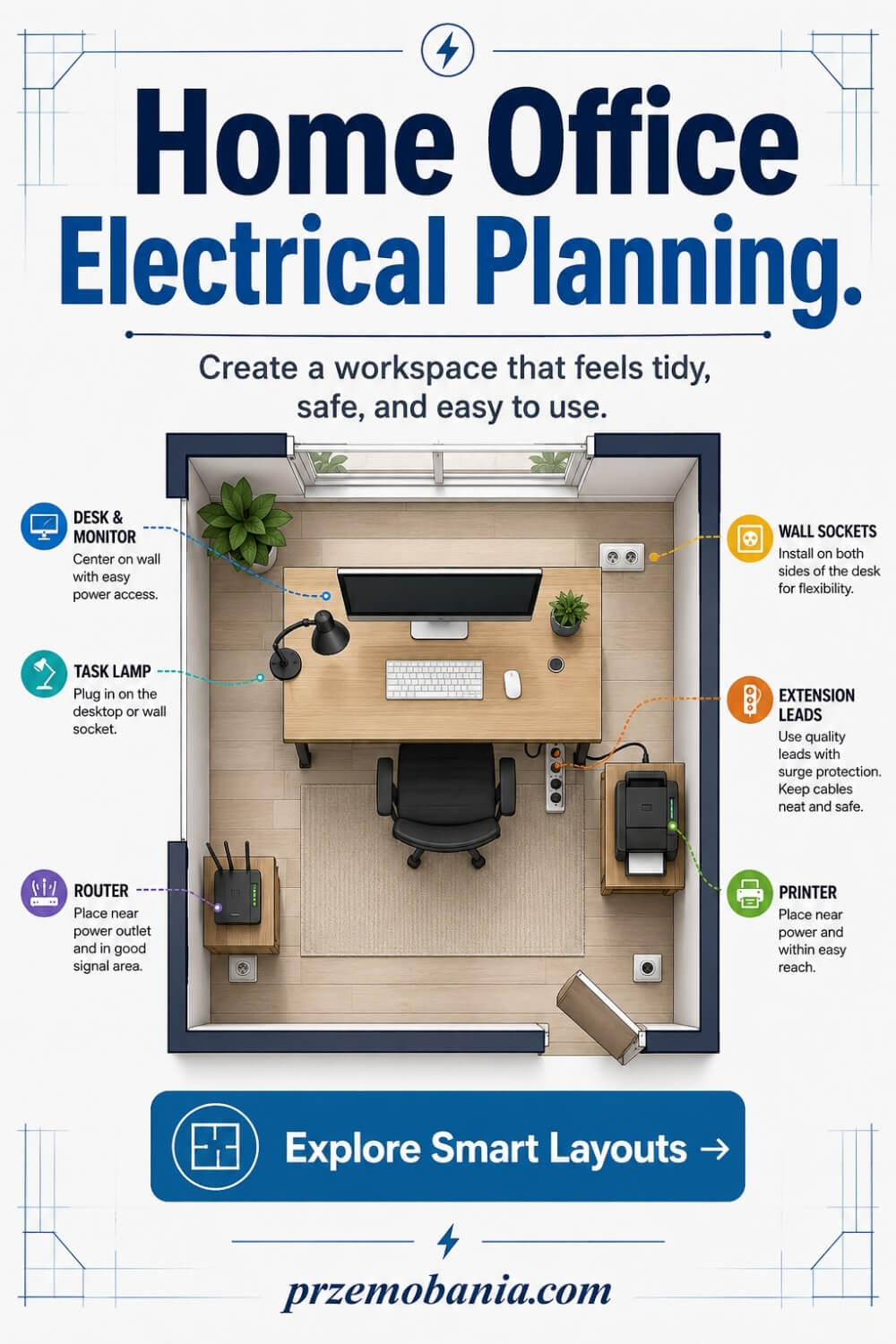
Map Every Device Before Wiring
Before I think about socket numbers, I write down every item that may need power in the room. That includes obvious equipment such as a computer and monitors, but also the router, printer, speakers, desk lamp, phone charger, docking station, external drives and anything else that tends to appear once you actually start working.
I then divide those devices into things that stay plugged in and things that only need occasional charging. This simple exercise stops me from designing for the room I have in my head and helps me design for the room I will really use. I also add a little breathing room for future equipment because work habits change, technology changes and a spare outlet costs far less to plan than a badly placed extension lead later. The goal is not to fill every wall with sockets, but to understand the electrical demand before the furniture hides the problem.
Position Sockets Around Your Desk
I like to plan sockets around the desk position rather than scatter them evenly around the room and hope for the best. The outlets that serve your computer, screens and desk equipment should be close enough to reach without stretched leads, yet positioned so plugs and adaptors are not crushed behind furniture.
Think about the exact side where your computer will sit, where the desk legs are, and whether you may use a sit-stand desk one day. I also consider one or two accessible charging points above or beside desk height because constantly reaching beneath a tabletop gets old very quickly. When I helped shape my wife’s workspace, these tiny access decisions mattered more than they looked on paper because comfort can disappear fast when every simple task requires bending or twisting. A well-positioned socket is almost invisible in daily life, which is exactly why it works so well.
Allow Power for Future Equipment
One of the easiest mistakes I made when learning to plan workspaces was designing only for what sat on the desk that day. A home office can grow surprisingly quickly once you add a second monitor, better lighting, a charging dock, speakers, a larger printer or equipment for video calls and content creation.
I now ask myself what this room may need in two or three years, not just what it needs this afternoon. That does not mean installing unnecessary electrical points everywhere, but it does mean leaving sensible spare capacity in the places where technology is most likely to expand. If you already know you may upgrade your setup, mention that to the electrician before the walls are finished. Planning for realistic growth gives you flexibility without turning your office into a maze of adaptors later, and it can save you from ripping apart a beautifully finished room just because your work became more demanding.
Separate Power From Data Cables
Power and data both need routes through a modern office, but I do not like treating them as one tangled bundle simply because they end at the same desk. Ethernet, charging cables, mains leads and monitor connections are easier to manage when their paths are planned deliberately, with separation where appropriate and enough space for cables to bend without being pinched.
For me, this is partly about neatness and partly about making future changes easier. If the router moves, a monitor is replaced or I add a wired network connection, I want to trace the right cable in seconds rather than dismantle a knot beneath the desk. Fixed electrical and communications cabling can involve technical requirements, so this is another area where I would rather discuss the route with a competent installer than guess. A calm-looking desk usually starts underneath it, where nobody sees the planning that makes everything above it feel effortless.
Plan Lighting Circuits Before Decorating
Lighting should be planned at the same time as the rest of the electrical layout because once ceilings and walls are finished, your options become more expensive to change. I think about general room lighting, focused task lighting and any separate lamps I use for video calls, reading or detailed desk work before deciding where switches and outlets belong.
Natural light changes through the day, so I never assume a bright room at midday will still feel comfortable at six in the evening. If you want wall lights, pendant lighting or separately controlled zones, decide that before decorating so the wiring can support the look rather than spoil it afterwards. I learned to appreciate this while working long hours at home because poor light quietly drains concentration and makes a room feel harsher than it needs to. Good lighting planning gives you control, and control matters when your workspace has to serve both productive mornings and tired evenings.

Keep Cables Off Walking Routes
A cable should never become something you automatically step over every time you enter your office. I look at the route from the door to the desk, the path of the chair, access to storage and any area where someone might walk before deciding how power reaches each piece of equipment.
Where possible, I keep leads behind furniture, beneath the desk or within proper cable-management routes rather than stretching them across open floor. This becomes even more important in a small office because there is less room to avoid a badly placed wire, and a rolling chair can repeatedly trap or damage a cable without you noticing. My wife taught me to see the room differently because when movement is already uncomfortable, one unnecessary obstacle can feel much bigger than it looks. A clear floor is not only neater; it allows the room to support you instead of making you negotiate with it.
Reduce Dependence on Extension Leads
Extension leads are useful tools, but I do not want the whole office to depend on them because the permanent sockets were planned badly. If I find myself needing several adaptors in the same place, I take that as a sign that the electrical layout may not match the way the room is being used.
The first step is to check what is actually plugged in, remove equipment that does not need to stay connected and avoid plugging one extension into another. If regular demand still exceeds the convenient outlets available, I would rather ask an electrician whether additional fixed sockets make sense than keep adding temporary solutions. This approach also makes the workspace cleaner because fewer trailing leads means fewer cables to hide, snag or accidentally unplug. A good office should not feel as though it is surviving on a collection of last-minute fixes; its power should feel intentional from the moment you sit down.
Protect Equipment and People Properly
Electrical planning is not only about convenience because every computer, monitor and charger ultimately connects back to a system that needs to be safe. I do not try to diagnose circuits myself, but I do pay attention to warning signs such as damaged plugs, loose sockets, scorched marks, hot adaptors or equipment that repeatedly trips protection.
I also avoid burying chargers or extension blocks where heat cannot escape, and I replace damaged leads rather than convincing myself they will last another month. Sensitive work equipment can be valuable, but the people using the room matter far more, so safety has to come before an immaculate desk photograph. If something about the installation does not look or behave normally, that is when I stop improvising and get qualified advice. The nicest home office in the world loses its value if you do not feel confident using the electricity inside it every single day.
Bring In a Qualified Electrician
There is a clear point where planning ends and professional electrical work begins, and I am comfortable respecting that line. I can decide where I want the desk, what devices I use, where sockets would make sense and how I want lighting to behave, but changes to fixed wiring need someone who understands the installation, current requirements and the condition of the existing circuits.
I find it helpful to give the electrician a simple room plan and my equipment list rather than asking only for “more sockets”. That gives them better context to assess what is practical and allows me to ask informed questions about outlet positions, circuits, lighting controls and future expansion. In England, some domestic electrical work is notifiable under Building Regulations, which is another reason I do not treat fixed wiring as a casual DIY job. Good professional input does not take control away from your design; it helps make sure the design can be used safely for years.

How Home Office Electrical Planning Supports Comfort and Accessibility
What changed my thinking most was realising that electricity in a workspace is not only about supplying equipment, because where you place controls and connections can decide how much physical effort the room asks from you. Good home office electrical planning can make ordinary actions such as switching on a lamp, charging a phone or turning equipment off at the end of the day noticeably easier.
When my wife began struggling more with pain and fatigue, I stopped looking at our workspace only through the eyes of someone who could comfortably bend, reach and crawl underneath furniture whenever something needed adjusting. A socket hidden behind a desk might look perfectly acceptable on a floor plan, but it becomes a completely different problem when reaching it hurts.
That experience made me think much more carefully about accessible socket heights, reachable switches and charging places that do not require repeated bending. I also prefer controls for frequently used lighting to sit where they can be reached naturally from the desk or on the way into the room rather than somewhere chosen only because it was convenient during installation.
Another detail I now consider is how the office shuts down at the end of the working day. If several non-essential devices can be turned off conveniently without stretching behind furniture, the room becomes easier to manage, especially on evenings when somebody is already exhausted. I would never compromise electrical safety by creating homemade switching arrangements, but I would absolutely discuss convenient control options with an electrician while the room is still being designed.
There is also something deeply personal about giving somebody a workspace that does not keep reminding them of what their body cannot do. I remember watching my wife work through days when just remaining at her desk required determination, and I began noticing every unnecessary reach, every awkward movement and every small frustration I had previously considered insignificant.
I could not take her illness away, and I could not promise that tomorrow would hurt less than today. What I could do was quietly remove some of the obstacles around her, one socket, one switch and one practical decision at a time.
That is why I no longer see thoughtful electrical design as something hidden behind plaster and furniture. To me, it is part of designing a home office that respects the person sitting inside it, because the best workspace is not simply beautiful when you photograph it, but kinder to you when nobody else is watching.
How Home Office Electrical Planning Handles Power Demand and Future Growth
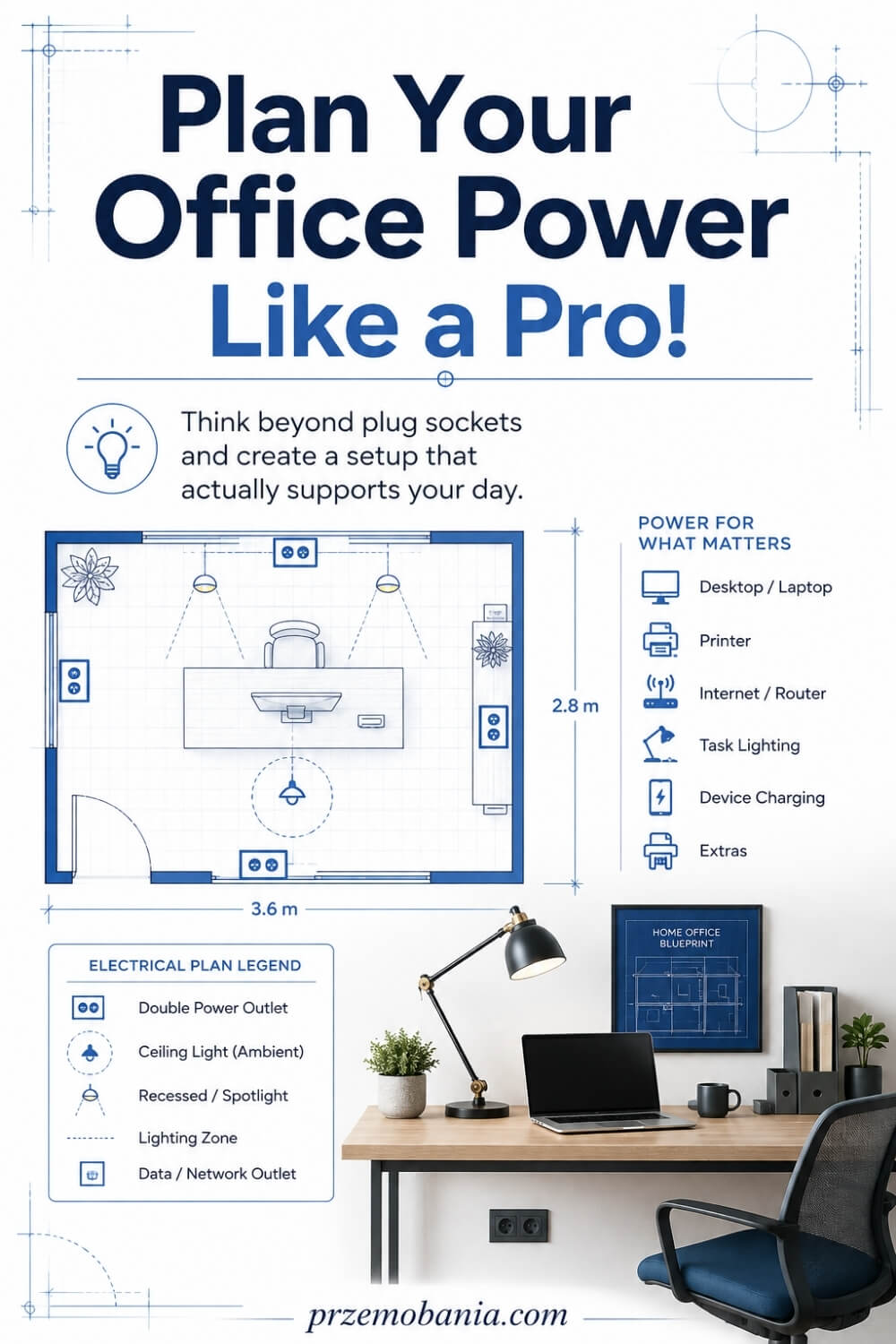
Once I have made the room comfortable to use, I start thinking about something you cannot see so easily: how much electrical demand the workspace may place on the existing installation. Home office electrical planning should consider the equipment you use together rather than treating every socket as an isolated place to plug something in. A basic laptop setup may use relatively little power, but a desktop computer, several monitors, printer, speakers, lighting, networking equipment and chargers can create a very different working environment.
I make a list of the devices that are likely to operate at the same time because that gives a far more useful picture than simply counting plugs. I pay particular attention to high-powered equipment such as portable electric heaters, which can draw considerably more power than typical office electronics and should never be casually added to an already crowded extension lead. The important point is not to calculate the electrical installation yourself, but to give a competent electrician an honest picture of how you intend to use the room.
The existing circuit matters too, especially when a spare bedroom or older room is being converted into a permanent office. Several wall sockets do not automatically tell you what else is supplied by that circuit, what protection is present or whether alterations are appropriate, which is why I would rather have the installation assessed than make assumptions based on appearances. If you are renovating extensively, this is also the right moment to discuss whether your planned equipment, socket locations and lighting need changes to the existing electrical arrangement.
I also think about what happens when the electricity briefly disappears because working from home can mean losing much more than the light above your desk. A power interruption can stop the router, disconnect a video meeting and interrupt work on a desktop computer, so an uninterruptible power supply may be worth considering for selected equipment when continuity really matters. I would choose it according to the equipment it needs to support rather than simply buying the largest unit I can find.
Protection against electrical faults and transient overvoltages is another subject worth discussing with the electrician, particularly if expensive computers, networking equipment or other electronics will live permanently in the room. Modern electrical installations use protective measures that are far more important than the decorative socket finish we tend to notice first, and the suitability of those measures depends on the installation itself. I therefore treat surge protection, RCD or RCBO protection and circuit arrangements as professional electrical decisions, not areas where I want to guess after watching a few DIY videos.
Finally, I leave realistic room for change because my own work has taught me how quickly a small blogging setup can become something much more substantial. One monitor becomes two, a simple laptop gains a dock, cameras need charging, storage expands and suddenly the office you designed for yesterday is trying to support the business you are building tomorrow. Giving that growth some thought now can save you from compromising a room you worked so hard to make beautiful.
That lesson became especially meaningful to me because our home office has never been simply a room with a desk in it. It became one of the places where my wife could continue working when her body made so many other parts of life harder, while it also became the place where I kept building something of my own beside her. When your workspace carries that much of your life, you begin to understand why reliable power, sensible protection and a little preparation for tomorrow deserve much more attention than they usually receive.
- Calculate Your Real Power Demand
- Watch High-Powered Office Equipment
- Assess the Existing Circuit
- Plan for Power Interruptions
- Protect Sensitive Office Electronics
- Leave Capacity for Future Growth
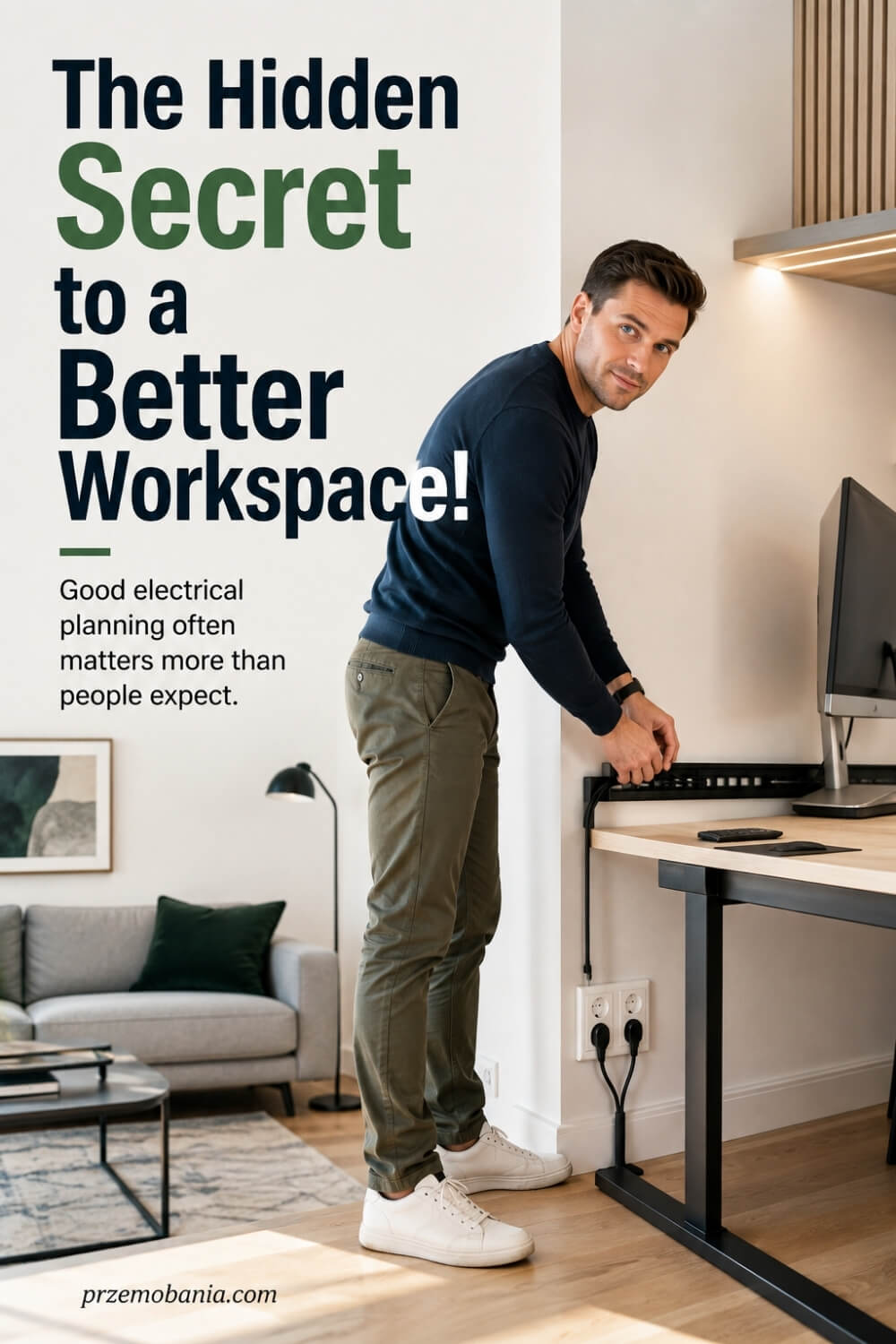
Calculate Your Real Power Demand
I begin with the equipment, not the socket count. Write down what will normally run at the same time, then check the manufacturer’s rated power for each device rather than guessing from its size. A laptop, monitor, router and desk lamp create a very different load from a workstation that also includes a powerful desktop computer, laser printer or electric heater.
I use that list as a conversation starter with an electrician, not as permission to design the circuit myself. The condition of the existing wiring, the protective devices, the circuit arrangement and what else shares that circuit all matter. If several items will be used together for long working days, say so clearly. The most useful electrical plan is an honest picture of your real routine, because that allows the person assessing the installation to design around how you actually work instead of an imaginary office that uses everything one device at a time.
Watch High-Powered Office Equipment
Some of the biggest electrical loads in a home office are not computers at all. Portable heaters are the example I pay particular attention to because they can demand far more power than typical desk electronics, and Electrical Safety First advises against running a portable heater from an extension lead because the lead can be overloaded.
If your office becomes cold enough that you regularly need electric heating, I would treat that as part of the room plan rather than quietly adding another plug beneath the desk. The same thinking applies to any unusually power-hungry appliance you intend to use for long periods. Keep heaters away from paper, curtains and furniture, and never position one where a chair or loose cable can knock it over. Comfort matters enormously when you work from home, but I never want the solution that keeps my feet warm to create an electrical or fire risk beside the place where I spend hours every day.
Assess the Existing Circuit
A room can have plenty of sockets and still tell you very little about the electrical installation behind them. Before I invest heavily in a permanent office, especially in an older property, I want a competent electrician to understand what circuit supplies it, what protection is present and whether the existing arrangement suits the planned use.
That assessment becomes even more useful when you are already decorating, lifting floors or opening walls because alterations are easier to consider before everything is finished. I would mention recurring problems such as breakers operating, sockets becoming hot, buzzing or crackling, scorch marks or damaged accessories instead of treating them as normal quirks of an old house. Electrical Safety First identifies these as warning signs that should not be ignored. A pretty new socket face cannot correct a problem hidden behind it, which is why I prefer to know what I am building on first.
Plan for Power Interruptions
Working from home taught me that a short power cut can be more disruptive than losing the ceiling light for a few minutes. A desktop computer can shut down, unsaved work can disappear and the router can drop a call, so I decide which devices genuinely need continuity rather than trying to keep the entire office running.
For selected equipment, an uninterruptible power supply can provide temporary battery power and give you time to save work or shut equipment down properly. I would size a UPS around the connected load, required runtime and manufacturer guidance rather than buying one because its number looks impressive. I also remember that internet access may depend on equipment elsewhere in the home or on the external network. The aim is resilience, not pretending a battery box can make the office immune to every outage, and that realistic expectation helps you spend money where it actually protects your working day.
Protect Sensitive Office Electronics
Computers, monitors, storage drives and networking equipment can represent a serious investment, so I want their protection considered as part of the electrical installation rather than relying only on a cheap plug-in accessory. Modern UK wiring rules include requirements concerning surge protective devices, but whether protection is needed and how it should be installed belongs with the electrician assessing the installation.
I also want appropriate residual-current protection and sound protective devices in the consumer unit because protection of people comes before protection of hardware. I never assume that a new-looking socket means the system behind it meets current requirements. If I am spending heavily on equipment for work, asking about surge protection, RCD or RCBO arrangements and the condition of the consumer unit feels like sensible planning. The devices on the desk are visible; the protection that helps make them safe to use usually is not.
Leave Capacity for Future Growth
I try to plan for the office I am likely to have next, not some fantasy studio full of equipment I will never buy. For me, future capacity means leaving sensible options where growth is genuinely likely: an extra monitor, a better docking station, network equipment, task lighting, charging points or perhaps a more capable desktop computer as the work expands.
This is where a simple conversation before installation can save an annoying redesign later. Tell the electrician what you may add, ask whether the proposed circuit and socket arrangement gives reasonable flexibility, and leave accessible routes for data and power where practical. I have seen my own blogging setup grow piece by piece, and I know how easily a tidy desk can become a collection of adaptors when the room was designed too precisely around yesterday. You do not need to predict every future purchase. You just need enough breathing room so success does not force you to undo the workspace you worked so hard to create.
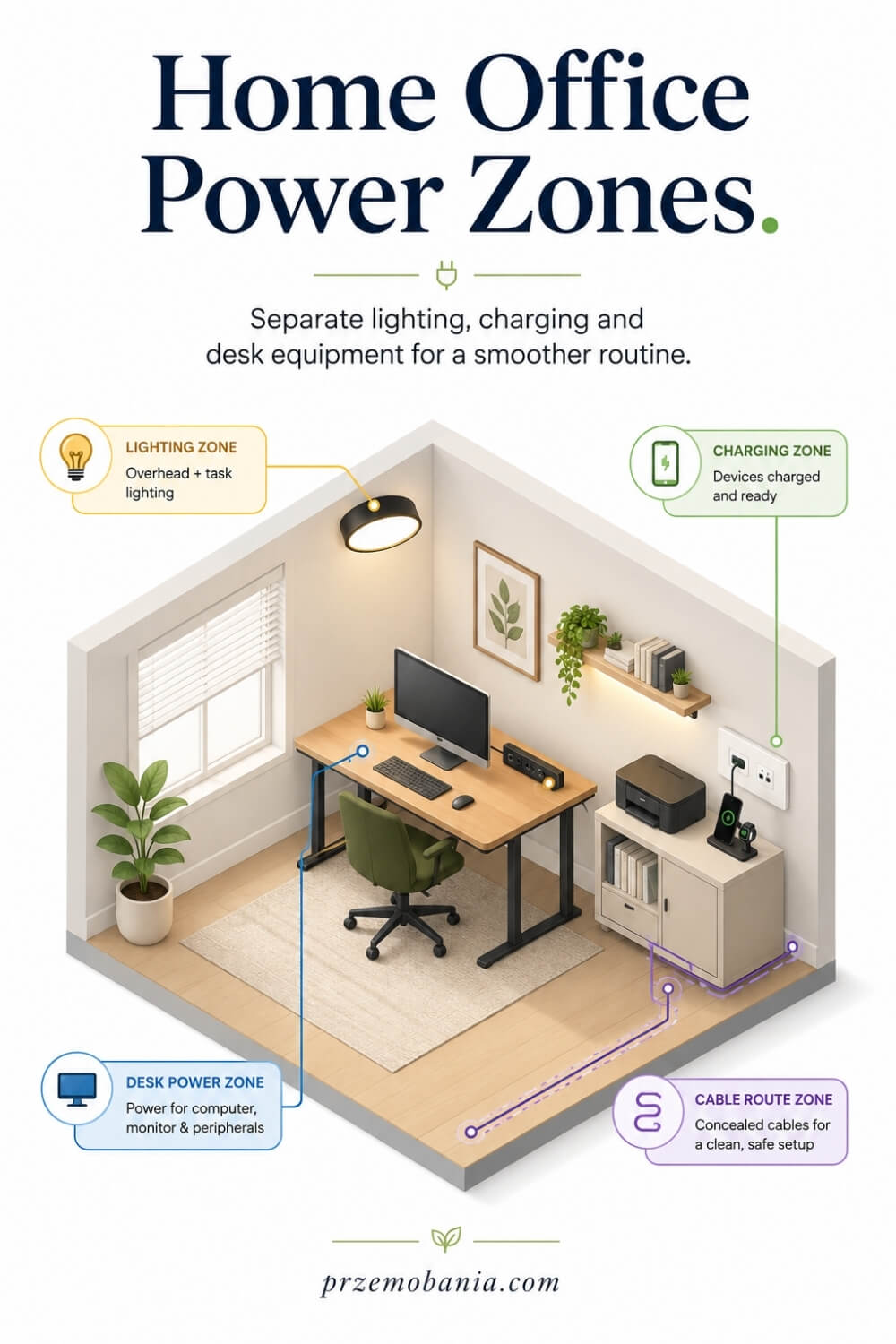
How Home Office Electrical Planning Shapes Your Daily Working Routine
Once the safety, capacity and future growth are sorted, I start looking at something more personal: how the electrical layout affects the rhythm of an ordinary working day. Good home office electrical planning should let you sit down, switch on what you need and begin working without hunting for chargers, moving furniture or crawling beneath the desk before you have even answered your first email.
I like frequently used charging points within easy reach, lighting controls where my hand naturally goes and equipment positioned so I am not constantly unplugging one device to power another. Those details sound small until you repeat the same awkward movement five or ten times every day.
This became much more obvious to me through my wife because there were days when bending beneath a desk or reaching sideways for a plug was not merely inconvenient, but genuinely painful. Watching that changed the way I judge a workspace because I stopped asking only whether something looked neat and started asking whether the room demanded unnecessary effort from the person using it.
I apply the same thinking to my own blogging office because long working sessions become easier when the practical side of the room disappears into the background. My monitors, lighting, charging points and other equipment should work around my routine rather than repeatedly interrupt it.
I also think about the end of the working day and how easily equipment can be switched off where appropriate without reaching behind cabinets or dismantling the desk setup. When controls and connections are convenient, shutting the office down becomes a simple habit rather than another small job you are tempted to avoid.
For my wife and me, that matters because our home offices became much more than decorated rooms. They became places where she could preserve some independence through difficult days and where I could build my writing and blogging work beside her, so every thoughtful electrical decision quietly helped make those spaces easier for both of us to live and work in.
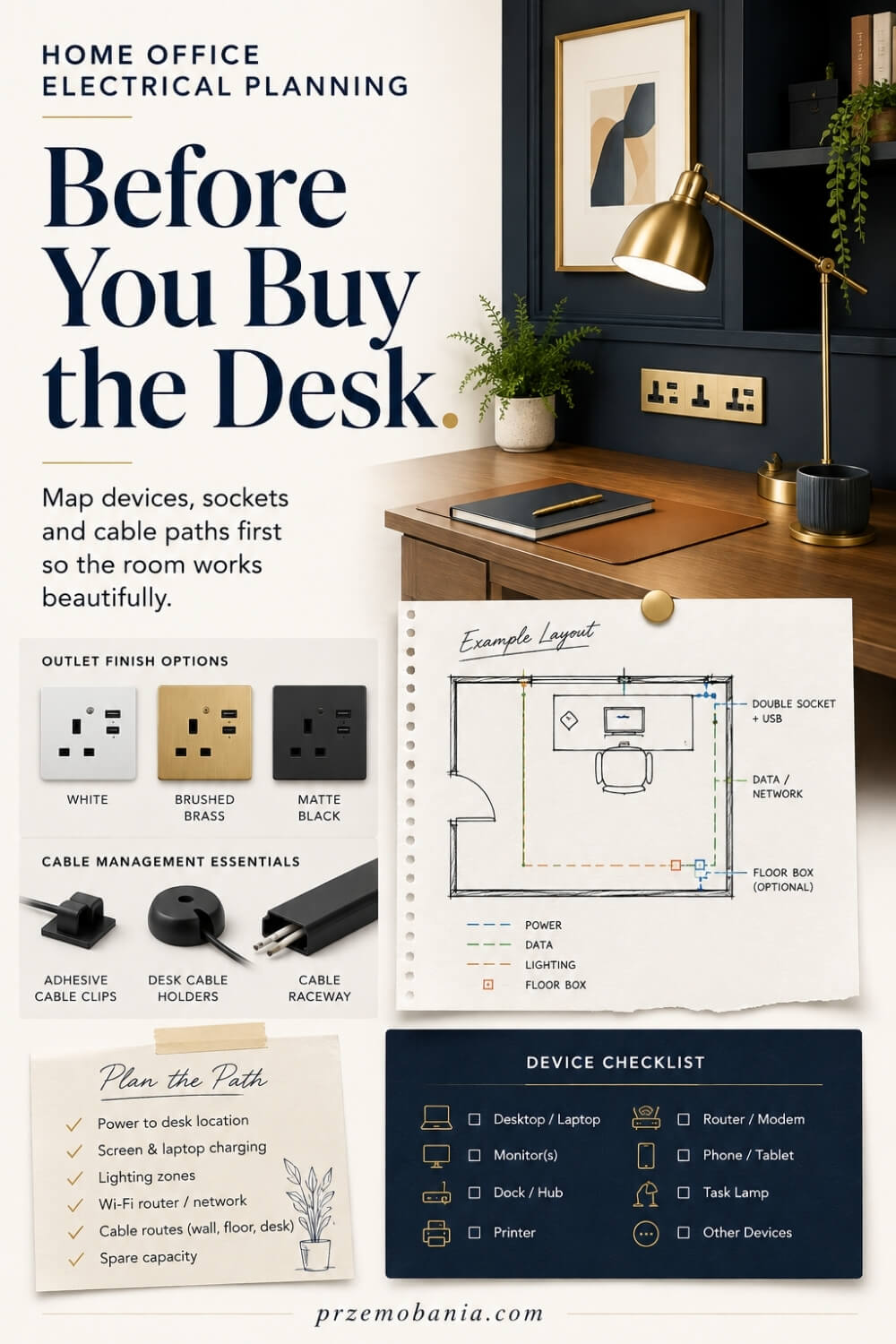
How Home Office Electrical Planning Works With Interior Design
After dealing with safety, capacity and everyday convenience, I finally let myself think about the part I have always loved most: how the room is going to look and feel. Home office electrical planning works best when it supports the interior design quietly, because sockets, switches, lighting points and cable routes should serve the room without becoming the first things your eyes notice.
I usually decide where the main furniture will live before choosing the final position of visible electrical accessories, because a socket placed beautifully on an empty wall can look completely wrong once a desk, bookcase or storage unit arrives. I also think about where monitor cables will disappear, whether a floor lamp needs a nearby outlet and whether decorative lighting can be powered without a lead crossing the skirting board.
Socket and switch finishes deserve attention too, although I choose them after the practical decisions are settled. A simple white accessory can disappear into a pale wall, while metal or darker finishes can become part of a more deliberate scheme, but I never sacrifice accessibility or sensible positioning simply for symmetry.
This is something I became particularly aware of while creating a comfortable workspace for my wife. I wanted her office to feel like a beautiful room she belonged in, not a medicalised space designed around limitations, yet every attractive decision still had to respect how easily she could reach, move and work when her body was having a difficult day.
That balance influenced my own office as well because I spend so much of my life writing, designing and building my blogs there. I want cables hidden and technology visually controlled, but I also want to be able to replace a monitor, move a charger or access a plug without dismantling half the room.
For both of us, the best result has never been a photograph-perfect office where every wire has vanished at the cost of practicality. It is a workspace that still feels warm, personal and carefully designed while the electrical details quietly do their job underneath everything you can see.
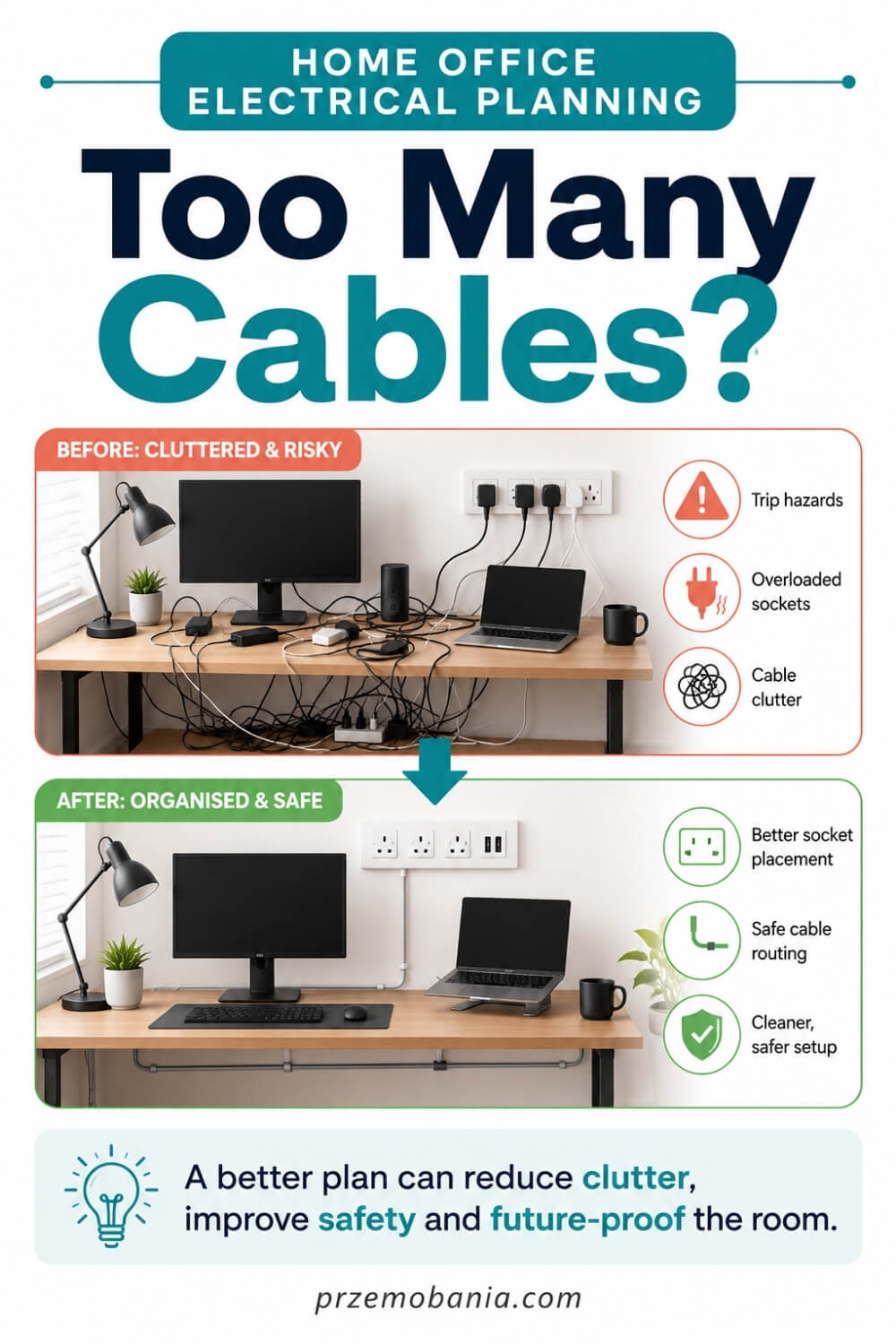
Final Word on Home Office Electrical Planning
By the time I reach the end of an office project, the most satisfying thing is not the colour of the walls or even the desk I chose. It is knowing that the room works quietly around the person using it. Good home office electrical planning gives you that feeling because the power, lighting, charging, data and equipment have been considered before they are hidden behind furniture and finishes.
If you take only one lesson from everything I have shared, let it be this: start with the way you actually work. List your devices, decide where your desk will sit, think about how you move through the room and notice which things you reach for repeatedly during the day. Those simple observations tell you far more than copying somebody else’s beautiful office photograph ever could.
I would also leave room for change. Your work may grow, your equipment may change and the office that feels generous today can become cramped surprisingly quickly. A spare outlet in the right place, an accessible cable route or a sensible discussion about future capacity can prevent expensive alterations later.
Safety has to sit underneath every design decision. I am happy to plan furniture, lighting ideas, cable routes and the location of equipment, but I do not treat fixed electrical work as a place for guesswork. If wiring needs to be altered, circuits assessed or new sockets installed, I want a competent electrician involved so the finished room is not only attractive but safe to use.
My wife’s experience changed the way I understand all of this. When somebody lives with pain and fatigue, a socket hidden behind a heavy cabinet is not a minor inconvenience. A charger that requires bending to the floor, a switch positioned awkwardly or a cable across a walking route can become another demand on a body that is already working hard enough.
That taught me to design with more empathy. I began looking at every small decision and asking whether it made the room easier or harder to live with. It is a question I now use in my own office too, because comfort and convenience are not luxuries when you spend hours working from home.
I still love the decorative side of a workspace. I love warm lighting, good furniture, clean surfaces and the feeling of sitting down in a room that makes me want to create. But the best interiors are not just beautiful from the doorway. They support the person inside them.
So take your time before the decorating begins. Draw the room, map the equipment, think about tomorrow as well as today and ask professional questions before changes become difficult to undo. You do not need the most complicated electrical system or the greatest number of sockets. You need a thoughtful one that fits your work, your body and the life you are trying to build inside that room.
When those foundations work, the décor can do what I love most: make the room yours.
A truly successful home office is not the one with the most sockets or the newest equipment. It is the one that quietly supports your work, protects your comfort and leaves room for your life to change. Plan the hidden details well now, and the beautiful room you create will serve you calmly for many years to come.
I would genuinely love to hear how you are planning your own workspace, so leave me a comment below and tell me what you are working on. And before you go, have a look at the FREE chapter of my eBook at the bottom of this post.


Przemo Bania is a blogger and writer who helps people get out of their traditional jobs to start a blogging career. Przemo also runs a health blog advocating for endometriosis and fibromyalgia…
Related Questions You May Be Asking About Home Office Electrical Planning
1. How many electrical sockets should a home office have?
There is no single ideal number because your equipment and layout determine what you need. Count every permanently connected device, add accessible points for temporary chargers, then allow sensible spare capacity for future equipment. I would rather plan several well-positioned outlets than depend permanently on adaptors and extension leads because the original installation was too restrictive.
2. Is it safe to use extension leads in a home office?
Yes, a suitable extension lead can be used, but it must not be overloaded or connected to another extension lead. Check its rated current and the equipment connected to it, keep cables protected from damage, and never treat daisy-chaining as extra socket capacity. If you constantly need extensions, additional fixed sockets may be worth considering.
3. Does a home office need its own electrical circuit?
Not every home office automatically requires a dedicated circuit. The answer depends on the existing installation, the equipment you intend to operate, other loads sharing the circuit and the condition and rating of the wiring. If you are creating a power-hungry workstation or substantially renovating the room, I would ask a competent electrician to assess it rather than assume.
4. Should I have RCD protection in my home office?
RCD protection is an important electrical safety measure because it can reduce the risk of serious electric shock when a fault occurs. Modern installations commonly incorporate residual-current protection within the consumer unit, but you should not assume yours does simply because the sockets look modern. If you are uncertain about existing protection, have the installation checked professionally.
5. Do I need surge protection for home office equipment?
It is worth discussing surge protection when your workspace contains computers, monitors, networking hardware, storage devices and other valuable electronics. Surge protective devices are designed to limit transient overvoltages, but the appropriate protection depends on the electrical installation. I would ask the electrician assessing the office rather than relying blindly on a plug-in strip labelled as a surge protector.
6. When should I call an electrician while planning my office?
I would involve one before decorating whenever you want new fixed sockets, relocated outlets, altered lighting circuits or other changes to permanent wiring. Call sooner if sockets become unusually hot, show scorch marks, make buzzing or crackling sounds, or if protective devices keep operating unexpectedly. Those warning signs deserve investigation rather than being hidden behind new furniture.
Home Office Electrical Planning References
- https://www.gov.uk/government/publications/electrical-safety-approved-document-p
- https://www.planningportal.co.uk/applications/building-control-applications/building-control/approved-documents/part-p-electrical-safety/approved-document-p/
- https://www.planningportal.co.uk/permission/common-projects/electrics/building-regulations-general-information/
- https://www.electricalsafetyfirst.org.uk/safety-advice/home-and-people/home-office/
- https://www.electricalsafetyfirst.org.uk/safety-advice/home-and-people/house-maintenance/extension-leads-cable-reels-and-block-adaptors/
- https://electrical.theiet.org/guidance-and-codes-of-practice/publications-by-category/bs-7671-and-guidance/
- https://electrical.theiet.org/guidance-and-codes-of-practice/publications-by-category/amendment-42026-to-bs-76712018-iet-wiring-regulations/
- https://electrical.theiet.org/bs-7671-18th-edition-wiring-regulations/ensure-you-are-up-to-date-with-bs-7671/
- https://www.hse.gov.uk/home-working/employer/working-environment-and-accidents.htm
- https://en.wikipedia.org/wiki/BS_7671
